Home / ISSN Barcode Generator
ISSN Barcode Generator
Create ISSN barcodes online for free – for journals, magazines and serial publications.
Open the generator →
What is a ISSN barcode?
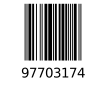
The ISSN barcode identifies journals and serial publications and is also based on the EAN-13 structure.
Ideal for publishers and libraries to label issues uniquely and machine-readably.
Technical details
- Category
- 1D barcode (serial)
- Data & character set
- 13 digits, prefix 977
- Capacity
- 12 payload digits + 1 check digit, optional issue add-on
- Check / error correction
- Modulo-10 check digit (automatic)
- Norm / standard
- ISO 3297 (EAN-13 layout)
- Size & printing
- like EAN-13
- Good to know
- Identifies serial publications; the add-on distinguishes individual issues.
Compared to related codes
| Code | Category | Data & character set |
|---|---|---|
| ISSN barcode | 1D barcode (serial) | 13 digits, prefix 977 |
| EAN barcode | 1D retail barcode | 13 digits (GTIN-13) |
| EAN-8 barcode | 1D retail barcode (compact) | 8 digits (GTIN-8) |
| UPC-A barcode | 1D retail barcode (North America) | 12 digits (GTIN-12) |
This helps you pick the right code type for your use case faster.
How to create a ISSN barcode
- The type “ISSN barcode” is preselected – you can change it anytime in the generator.
- Enter your value (example: 9771234567003).
- Adjust colors, module size and the quiet zone and check the live preview.
- Download the ISSN barcode as PNG, SVG or PDF, or print an A4 label sheet.
Use cases
- Journals and magazines
- Publishers
- Libraries
Tips for clean printing & scanning
- Keep enough quiet zone left and right (at least 10× the module width) so checkout scanners trigger reliably.
- Print black on white with high contrast – light, glossy or metallic backgrounds hurt readability.
- Do not scale below 80 % of the nominal size; oversized-down retail barcodes get rejected at the till.
Features
- Free and no sign-up
- Instant live preview
- Export as PNG, SVG and PDF
- Customizable colors, size and caption
- Batch generation & A4 label printing
- Works on desktop and mobile
FAQ
- How do I create a ISSN barcode?
- Choose the type, enter your value (e.g. 9771234567003), adjust the design and download the ISSN barcode as PNG, SVG or PDF.
- What is a ISSN barcode used for?
- Typical use cases are Journals and magazines, Publishers, Libraries.
- What is an example value for a ISSN barcode?
- A valid example is “9771234567003”. Just enter your own value and the ISSN barcode is generated instantly in the preview.
- Is the ISSN Barcode Generator free?
- Yes. Barcode Studio is completely free and requires no sign-up.
- Which download formats are available?
- You can export as PNG, SVG or PDF and print directly.
- Does it work on mobile?
- Yes, Barcode Studio runs in any modern browser on desktop and mobile.
Related codes
Related guides
Trustpilot